
Mental Model
Understanding Your Brain
Every time you open AI, you start from zero. You re-explain your business, your preferences, your tools. The brain fixes that.
The Core Concept
Without a brain, every AI conversation starts from scratch. You waste time setting the scene before you can get to actual work. Your brain is a persistent context system — you build it once, and the AI knows your business, your clients, and your preferences from the first message.
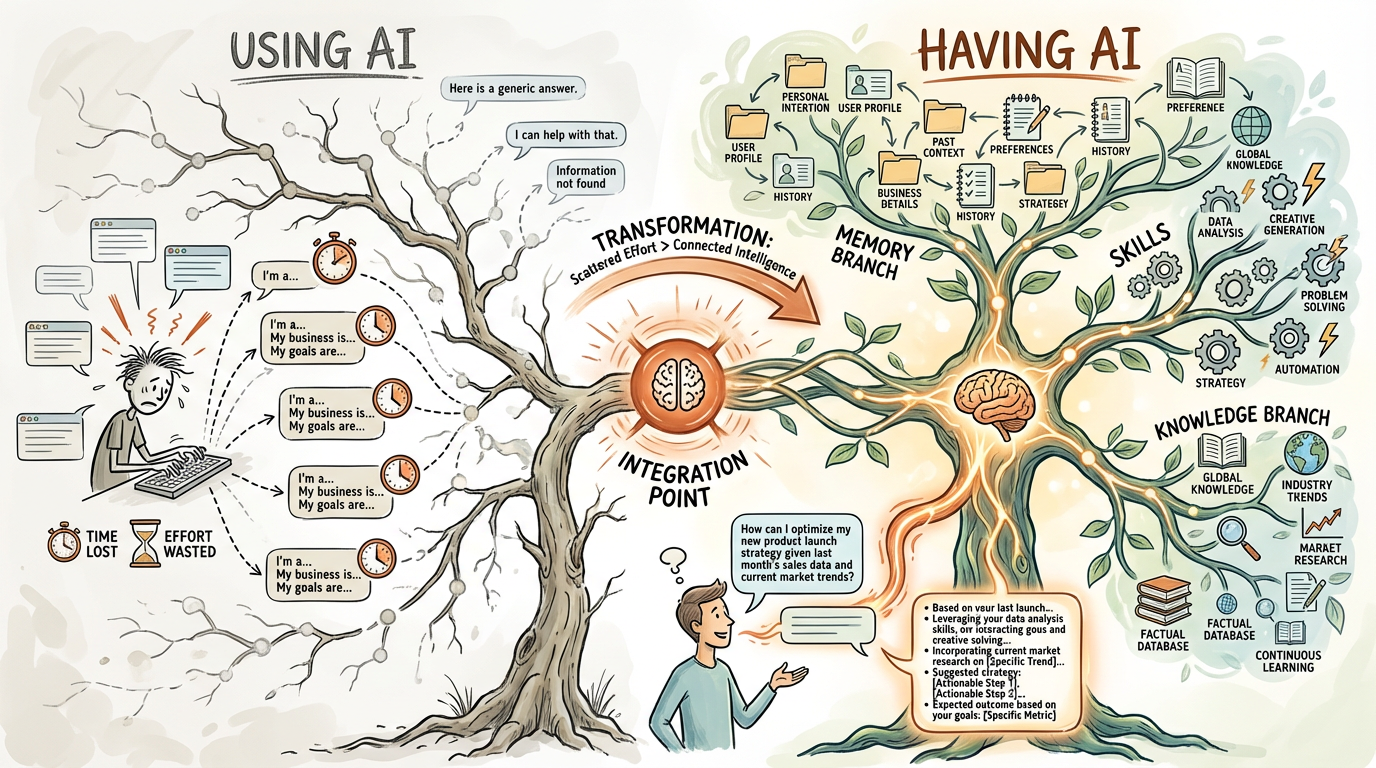
Without Brain
Every conversation starts from zero. You explain who you are, what you do, what you've tried. Time wasted. Effort lost.
With Brain
Every conversation starts with full context. The AI knows your business, clients, preferences, and history. Connected intelligence.
The Folder Structure
Your brain is organized into folders, each with a purpose. These are suggestions—you can add whatever folders make sense for your work.
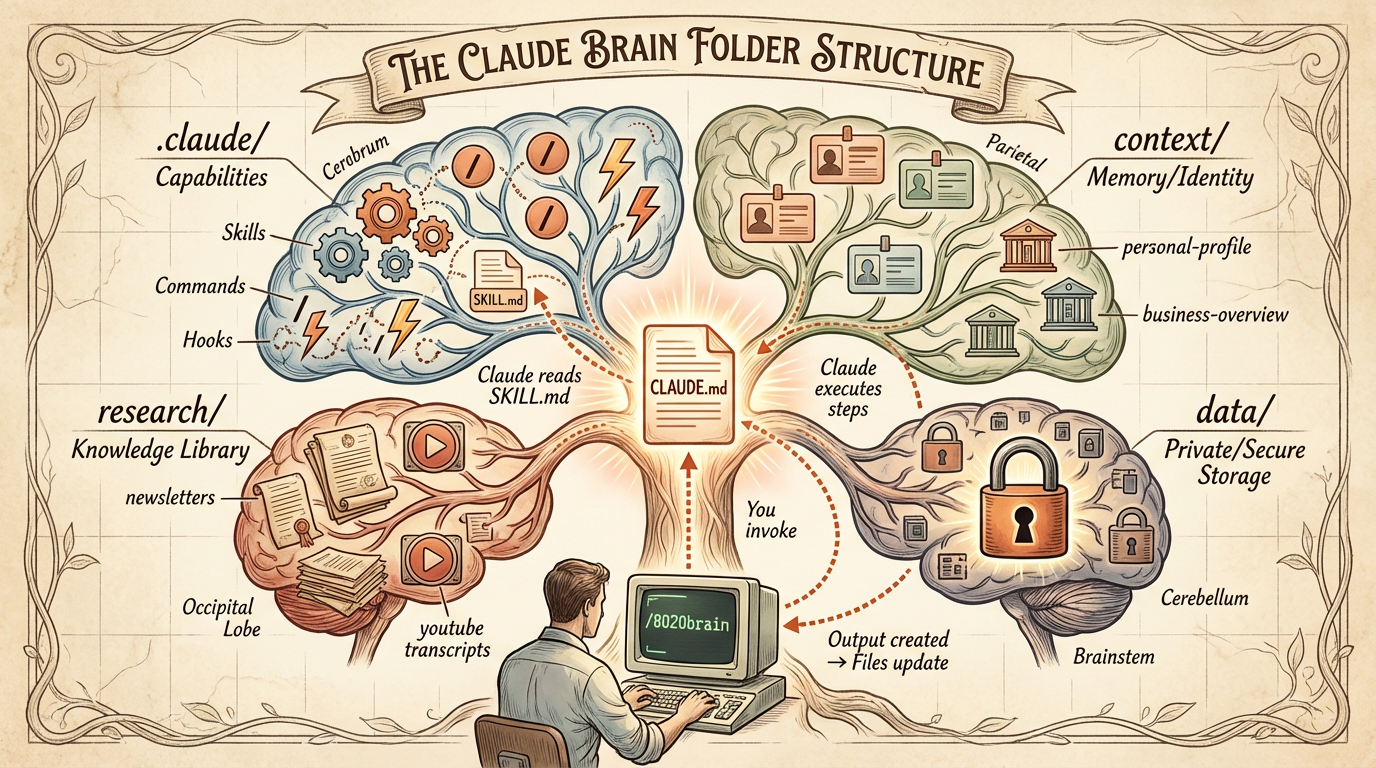
CLAUDE.mdTired of repeating yourself? The rules — your preferences, your style, how you want AI to behave. Set once, remembered every session..claude/skills/AI can talk, but can it act? Skills are the Lego bricks — each one gives AI a new capability, from drafting emails to pulling ad data.context/AI doesn't know your business? Your business brain — info about your clients, frameworks, and strategy, always loaded.research/Can't remember what you read? Knowledge base — summaries of newsletters, videos, and articles you've consumed.!inbox/Ideas disappear? Capture point (optional) — voice notes, quick ideas, processed later.How Skills Work
AI is great at thinking, but on its own it can't do anything — it can't check your email, pull ad data, or draft a post. Skills fix that. They're bundles of instructions + code that give AI hands, turning it from a chatbot into an assistant that acts.
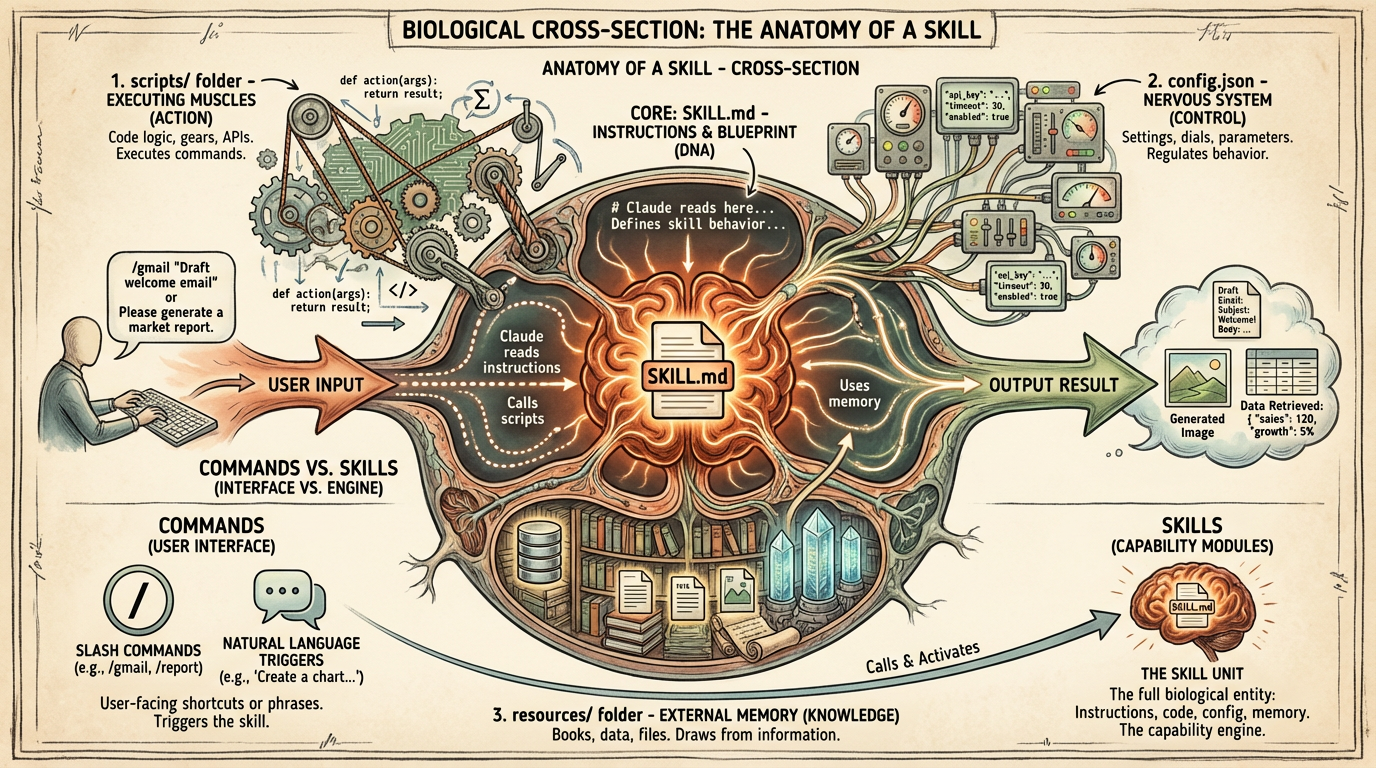
Skill Structure
.claude/skills/gmail/
├── SKILL.md          ← Instructions for Claude
└── scripts/
    ├── fetch.cjs     ← Code to fetch emails
    └── draft.cjs     ← Code to draft emails
How Skills Get Triggered
- 1. Explicit:Type
/gmailor "check my email" - 2. Auto-detect:Claude recognizes the task and invokes the right skill
- 3. Hooks (more advanced):Skills run automatically after certain events
The Discovery Problem
Skills don't always auto-invoke (research shows ~50% hit rate). Solutions: reference key skills in CLAUDE.md, prompt Claude to use specific skills, or use hooks for guaranteed invocation.
Example Commands
Some useful commands to get started. These are optional—use what helps you.
/gmMorning briefing with calendar, todos, emails
/syncCommit and push your changes to git
/inboxProcess captured notes from !inbox folder
Key Mental Models
1. A Box of Lego Bricks
There isn't really a "framework" here—it's more like a box of Lego bricks. You've got hundreds of little blocks that each do one thing. A skill that drafts a post. A skill that fetches YouTube transcripts. A context file that tells Claude about your business.
Each block is simple on its own. The power comes from how you put them together. Start by mastering a few bricks. Then combine them. Before you know it, you're the conductor—not playing the instruments anymore, just pointing at sections and saying "you do that."
2. AI + Automation (The Key Distinction)
You use AI to create automation—that's the skill. But then the skill itself uses a clever mix of:
- Automation (scripts) — Deterministic. If this, then that. Does the same thing every time.
- AI — Reasons and makes decisions on the fly. Removes you from micromanaging.
Like onboarding a new employee: once the brain has context, it can make decent decisions on its own. That's what lets it get so much more done.
3. The Brain Learns Over Time
Every correction you make can become permanent learning. You fix something → Claude adds a rule to CLAUDE.md → Next time, Claude doesn't make that mistake. The best optimization is teaching it when it gets things wrong.
4. It's YOUR Copy Now
Can you customize without breaking things? Yes. The brain is your copy now. You can't break anything for anyone else. Change skills, add personas, update SOPs—go for it. Experiment freely.
5. Everything is Text Files
Your brain is just markdown files and scripts. No database, no vendor lock-in. You can read, edit, and version control everything. If something breaks, you can always see exactly what's there and fix it.
6. Git vs GitHub
Git is version control—runs locally, tracks every change like a detailed undo history. GitHub is the online backup. Neither is required day-to-day, but both are highly recommended. Every change backed up, easy to roll back, and monthly updates are easier to pull in.
Get Started
The brain doesn't require you to already have automation—it helps you build it. Just start asking questions.